

How to Spot a Veo 3 Video: Telltale Signs of Google's Generator
10 серпня 2026 р.
Також є: Українська
Google's Veo 3 raised the bar twice: near-photoreal visuals and native audio — speech, ambience and effects generated together with the picture. It is also one of the generators we see most often in videos submitted to our detector.
Here is what gives them away.
The Veo "look"
Every generator has a house style, and once you have seen enough clips you start recognising it before any analysis:
- Confident, cinematic camera motion. Veo loves slow push-ins, smooth orbits and drone-like glides. Real UGC footage is messier.
- Polished lighting everywhere. Scenes tend to look colour-graded by default — even "casual phone footage" has suspiciously balanced exposure.
- Eight-second rhythm. Veo generates in short segments. Longer videos are stitched, and the seams show: subtle scene resets, props that change, backgrounds that reshuffle.
None of this is proof by itself — real filmmakers also shoot polished footage. It is a prior, not a verdict.
Specific artifacts to look for
1. Audio that is too well produced
Veo's audio is generated together with the picture, and it is good: the ambience usually suits the scene, and the room sounds like the room you are looking at. That is not where it slips.
It slips on how produced everything sounds. A real microphone is in a physical place — it picks up handling noise, wind across the capsule, a voice going thin as the speaker turns away, a level that drifts as the distance changes. Veo's audio has none of that. Speech keeps studio clarity and an even level wherever the camera is, and the ambience sits under it at a steady, mixed-in volume.
The tell is not a wrong sound. It is a soundtrack where a recording should be.
2. Object interaction under hands
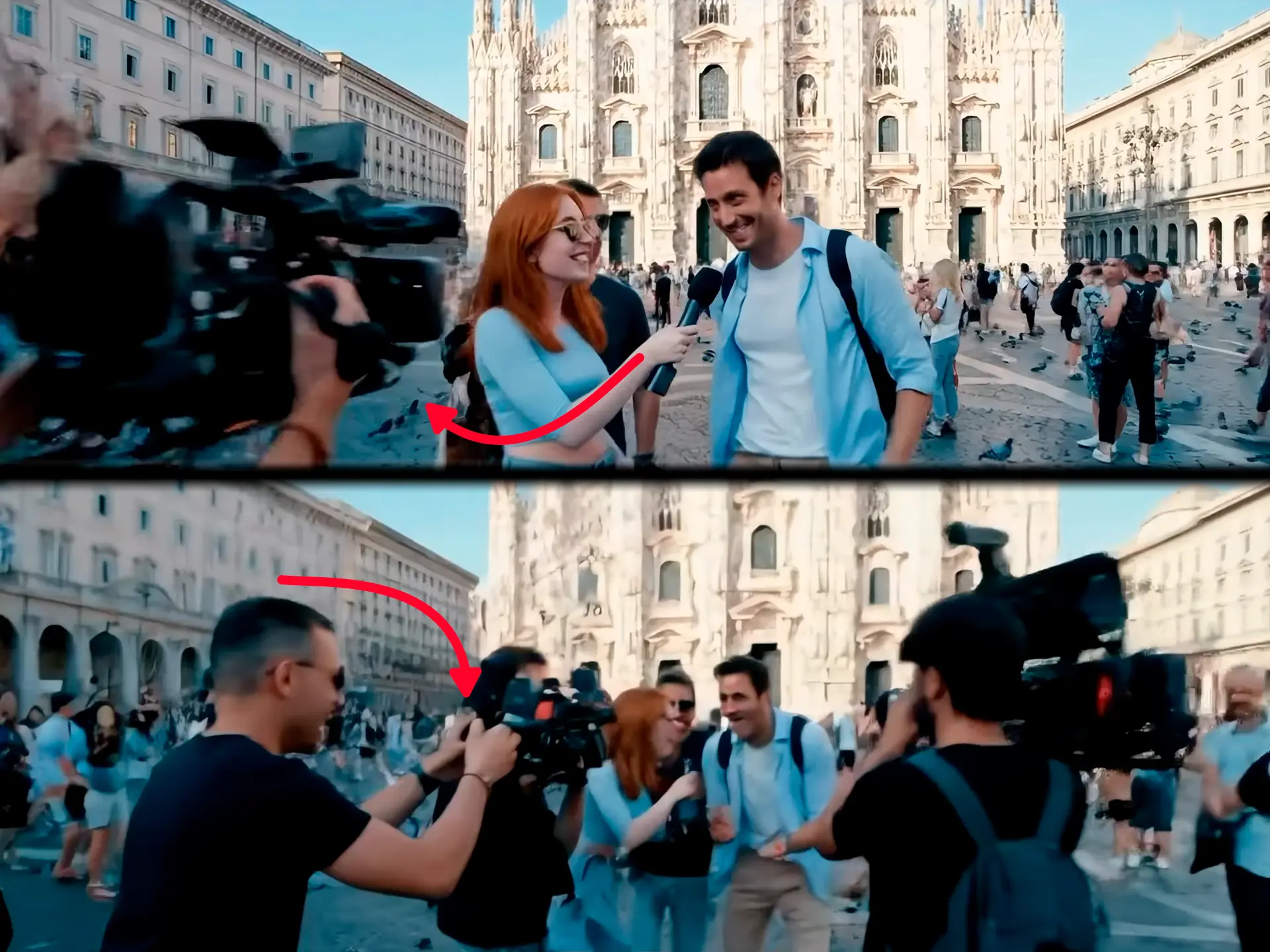
Like every current model, Veo handles hands well and hand-object contact poorly. Grips that hover, tools that merge into fingers during motion, items that change identity between cuts.
3. Background text and crowds
Zoom into signage, labels, t-shirts, and faces past the third row. Veo's foreground survives scrutiny; its background is where pseudo-text and copy-pasted faces live.
4. Physics at the margins
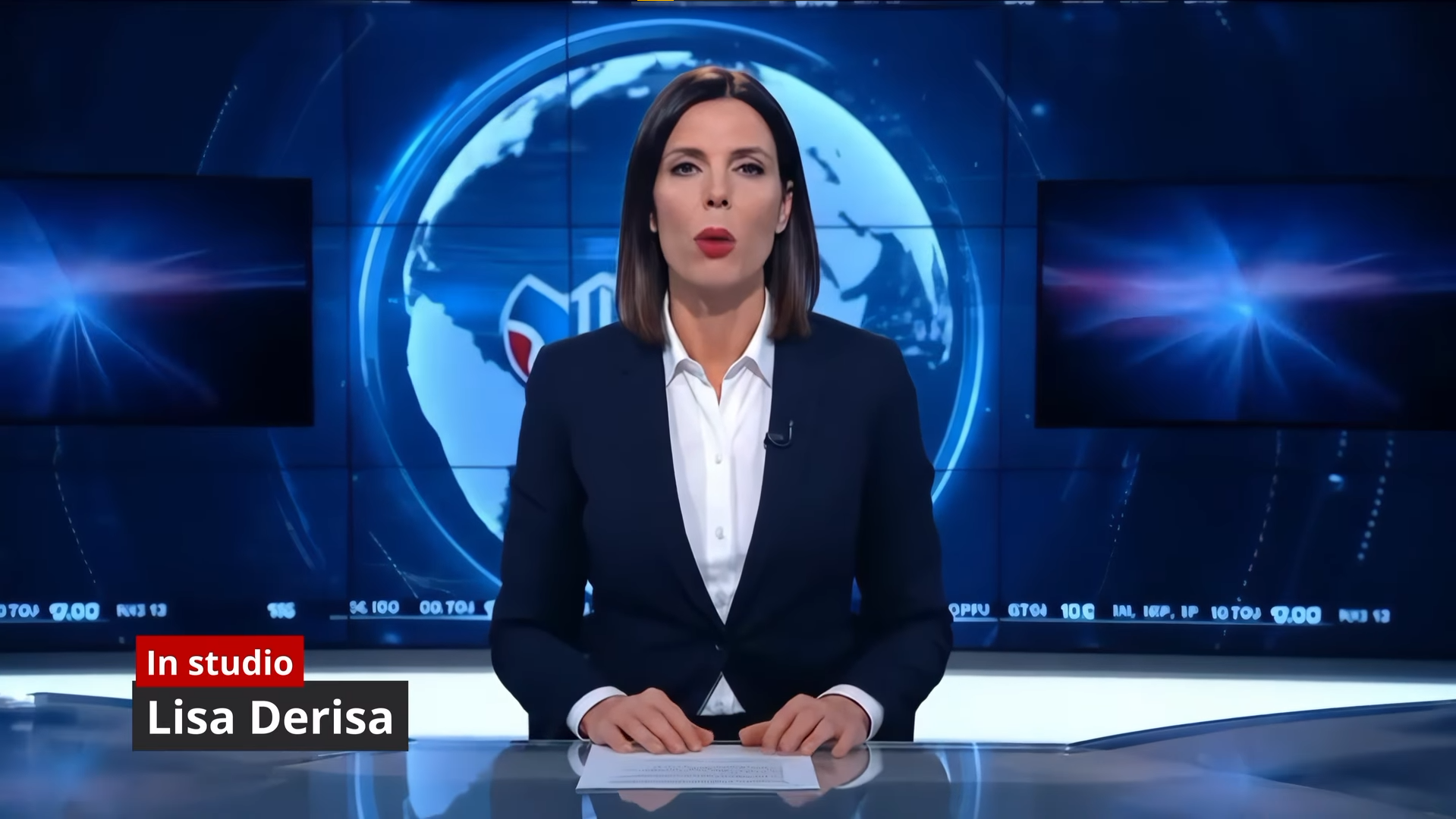
Water, smoke, snow, fabric — anything governed by fluid dynamics tends to move a beat late or settle too gently. Veo 3 is dramatically better at this than its predecessors, which means the errors are now subtle: "dreamlike" rather than broken.
5. A visible watermark — sometimes
Not every Veo 3 clip hides its origin. Free-tier and many app exports carry a visible Veo watermark in a corner — easy to scroll past at feed size, obvious the moment you zoom in.
What about SynthID?
Google embeds SynthID, an invisible watermark, into Veo output, and some distributions carry a visible badge too. Two honest caveats:
- You, as a viewer, cannot read SynthID — verification tools are not broadly available to the public.
- Re-encoding, cropping and re-filming degrade watermarks. A Veo clip that has travelled through three messengers may carry nothing detectable.
Watermarks are a compliance feature, not a consumer protection. Treat their absence as meaningless.
What our detector sees
Statistical detection does not rely on any of the visual tells above — it reads the generator's fingerprint in texture and inter-frame statistics, which survives even when the clip looks perfect.
Veo is not the easiest generator to call. Its output is clean, and clean output leaves a detector less to work with than a model that still shows obvious seams.
If a suspicious clip is in front of you right now: paste the link at AI Video Check and get a verdict in about twenty seconds, no account needed.
This post is part of a series on recognising specific generators. Coming next: Sora, then Kling.
Сумніваєтеся, чи відео справжнє?
Перевірити безкоштовно →